News blackouts in StrategyQuant X for accounts with trading rules
Some funded-account programmes restrict trading around scheduled high-impact releases. Rules differ between firms and change, so read the current text of yours. If your strategy has to stay flat near a release, the practical problem is making the backtest and the live account use the same blackout. This page shows how the News module does that, and where it stops.
1. What the blackout is
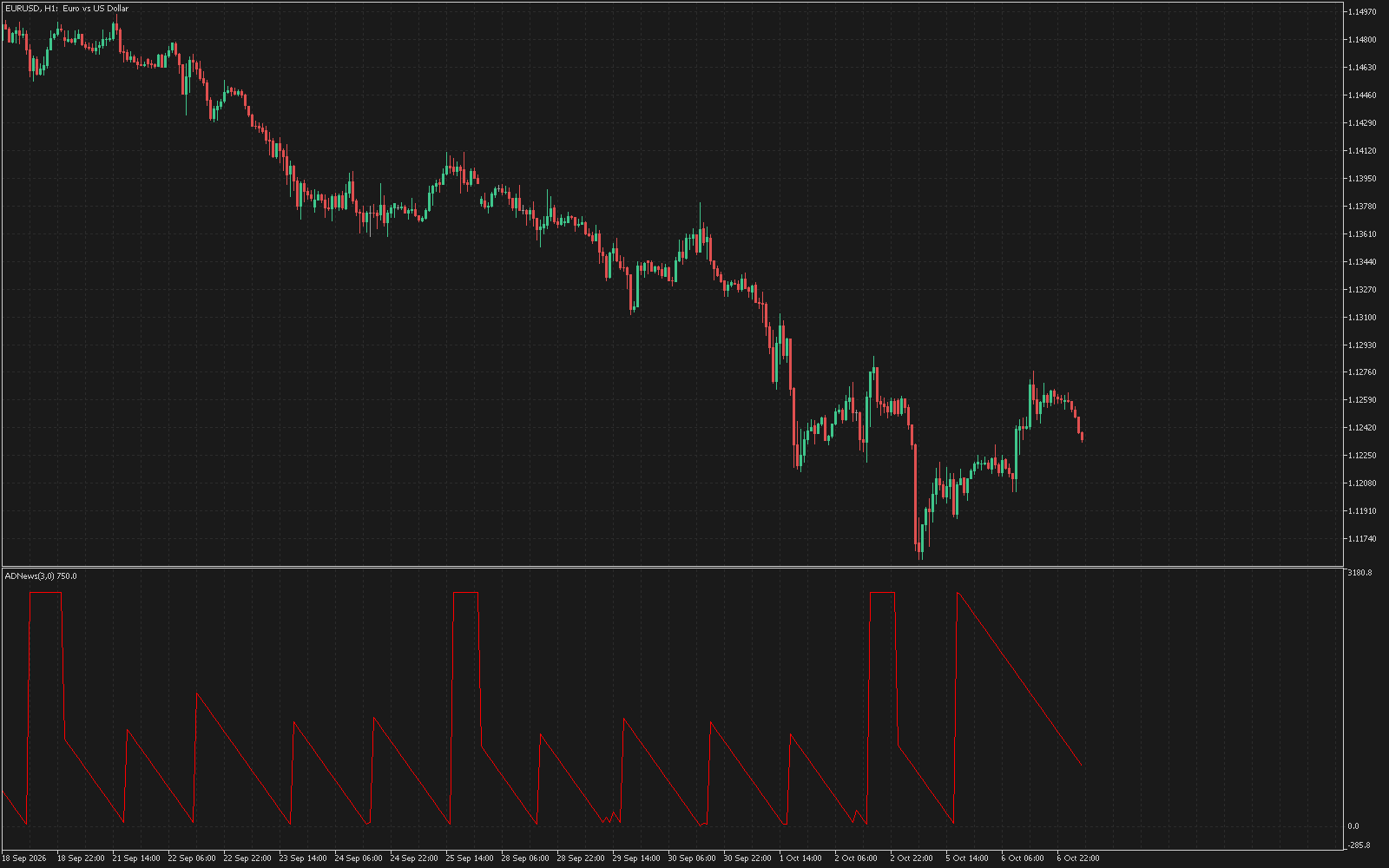
AWNewsBlackout(5, 15) is true from five minutes before a qualifying release until fifteen minutes after it. Both numbers are parameters. A qualifying release is one at or above the minimum importance you set (0 to 3, where 3 is High only), in the currencies of the chart symbol when Scope is 0. Because the bar’s opening time is the resolution, use blackout blocks on M1 to M15 charts, and the news-bar blocks on higher timeframes.
2. The calendar comes from your terminal
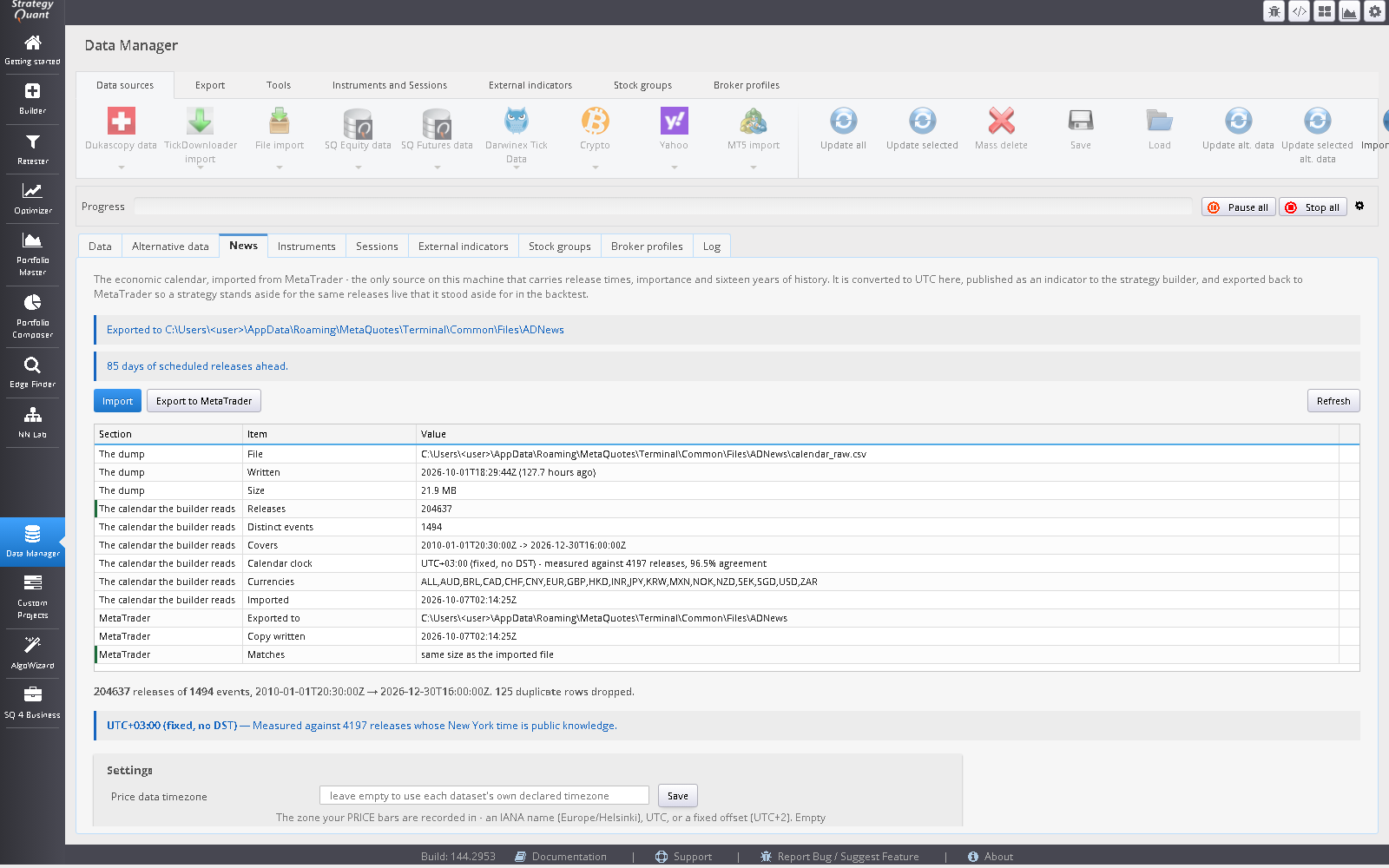
News extracts the economic calendar from your own MetaTrader 5 terminal, converts it to UTC against a measured server offset, and publishes it as blocks for StrategyQuant X. It does not supply a calendar of its own. The offset is measured, not configured: the terminal reports times in the broker server’s timezone, which may shift with daylight saving, so News compares where the terminal puts releases that have long been fixed at a New York wall-clock time (payrolls at 08:30, ISM at 10:00) with where they should be, in every season of every year.
3. Schedule, never outcome
A calendar API returns the actual value as it stands today, after every revision. A surprise feature built from history is contaminated, most of all for releases that are revised most. Release times have none of those problems: they are published weeks ahead, never revised, and complete as far back as the calendar goes. News uses scheduled release times only. There is no per-event block and no surprise block.
4. What happens when it fails
If the calendar stops covering the future, a naive all-clear rule decides the coast is permanently clear. The News all-clear reports “not clear” whenever it cannot be evaluated, so a stale file stops trading instead of permitting it. A feed service rebuilds the live file on a schedule and replaces it only when its own checks pass.
5. Where Time Windows differs
Edge Finder’s Time Windows tab also lists stretches to stay out of: adverse windows, dead stretches and thin stretches. Those are measured from price history and are statistical. They are not tied to releases and are not a news filter. Use them together if you want both.
6. What this does not do
- It does not model any firm’s rules. Daily and trailing loss rules, position limits and consistency rules are not modelled by any module. Set them up in SQX and in the EA.
- It does not promise that any strategy will pass an evaluation or stay inside a limit, and a strategy that is flat around releases can still lose.
- Importance levels come from the terminal’s calendar, so a release your broker’s calendar rates lower than your account’s rules do is not covered by a high minimum importance. Check the setting against the rules you trade under.
Steps
- In MetaTrader 5, start the AWNewsFeed service on a terminal whose calendar has synchronised.
- In SQX, open Data Manager, News, and press Import once; the file is copied back to MetaTrader automatically. Check the calibration line and the forward window.
- Set Price data timezone if your data has no declared timezone.
- Tick a blackout block in the Build task. Choose minimum importance and scope.
- Keep the service running on any terminal that must keep itself current.
- Run the exported EA in the Strategy Tester and check it stays flat around a release you know.
Questions
Will this keep me within my firm’s news rule?
It keeps a strategy flat around releases in your MT5 calendar by the window you set. Whether that meets a rule depends on the rule, so read it and test the exported EA in the Strategy Tester.
Is the blackout the same in the backtest and live?
It uses the same exported calendar file in both. In the Strategy Tester the feed service does not run, so a test reads frozen data; live, the service extends the file forward.
Does it use the released value?
No. It uses release times only.
Does it need an internet connection for a calendar?
No third-party calendar. It reads your own terminal’s calendar.
Links: News · News blackouts in StrategyQuant X: the same window in the backtest and live · Time Windows
Trading leveraged instruments carries a high risk of loss. Software output is not investment advice and says nothing about future results. Validate every strategy yourself before risking capital.