Balanced accuracy vs chance
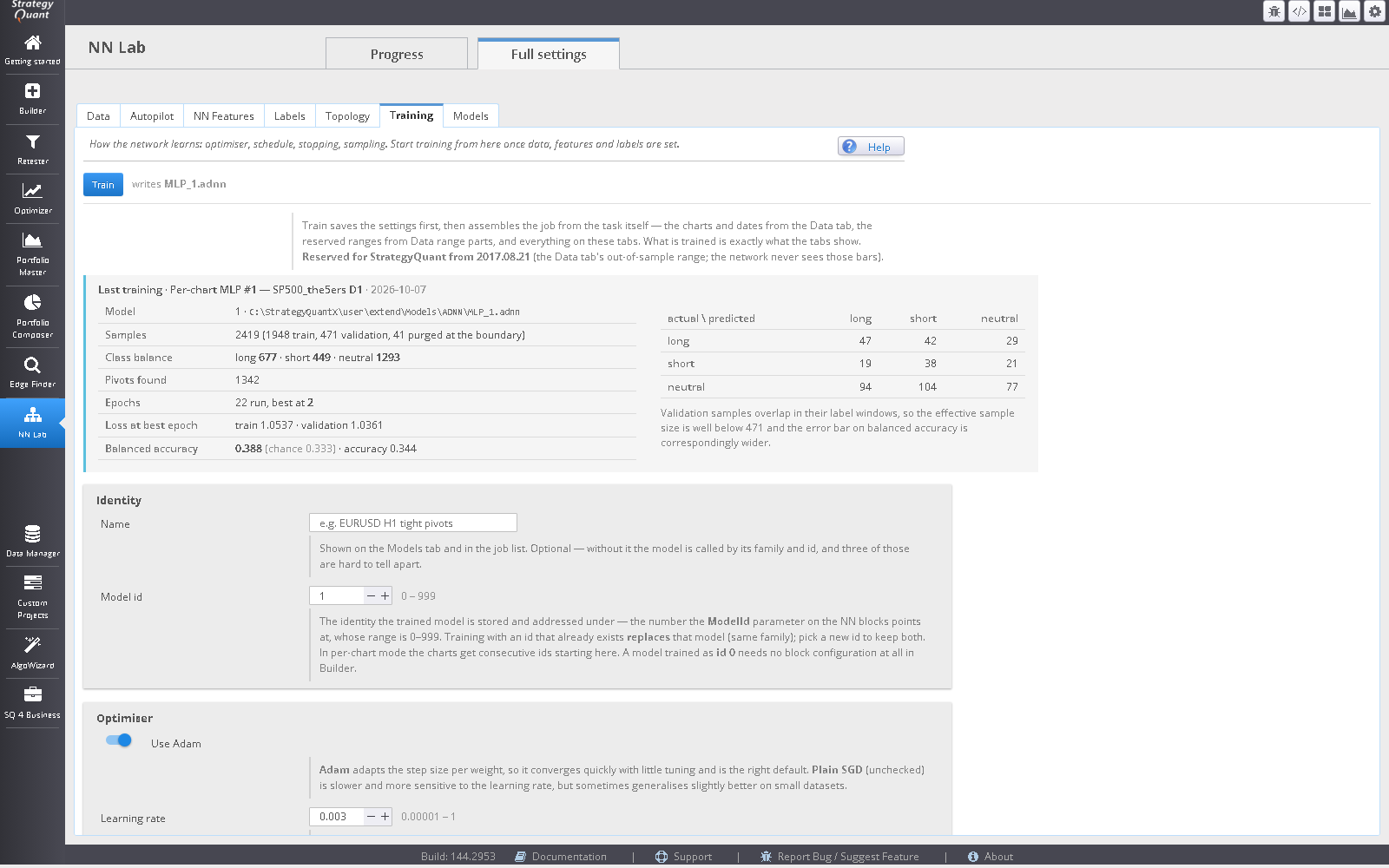
Mean per-class recall against a 0.3333 baseline, with a caveat shown beside the number: adjacent bars share most of their label window, so the effective sample size is far below the nominal count.
An SQX app plugin that trains four network families and writes one model file. StrategyQuant blocks and MetaTrader 5 both run a forward pass of the same weights, so parity becomes a question about two readers of one file instead of two trainings that can never agree.
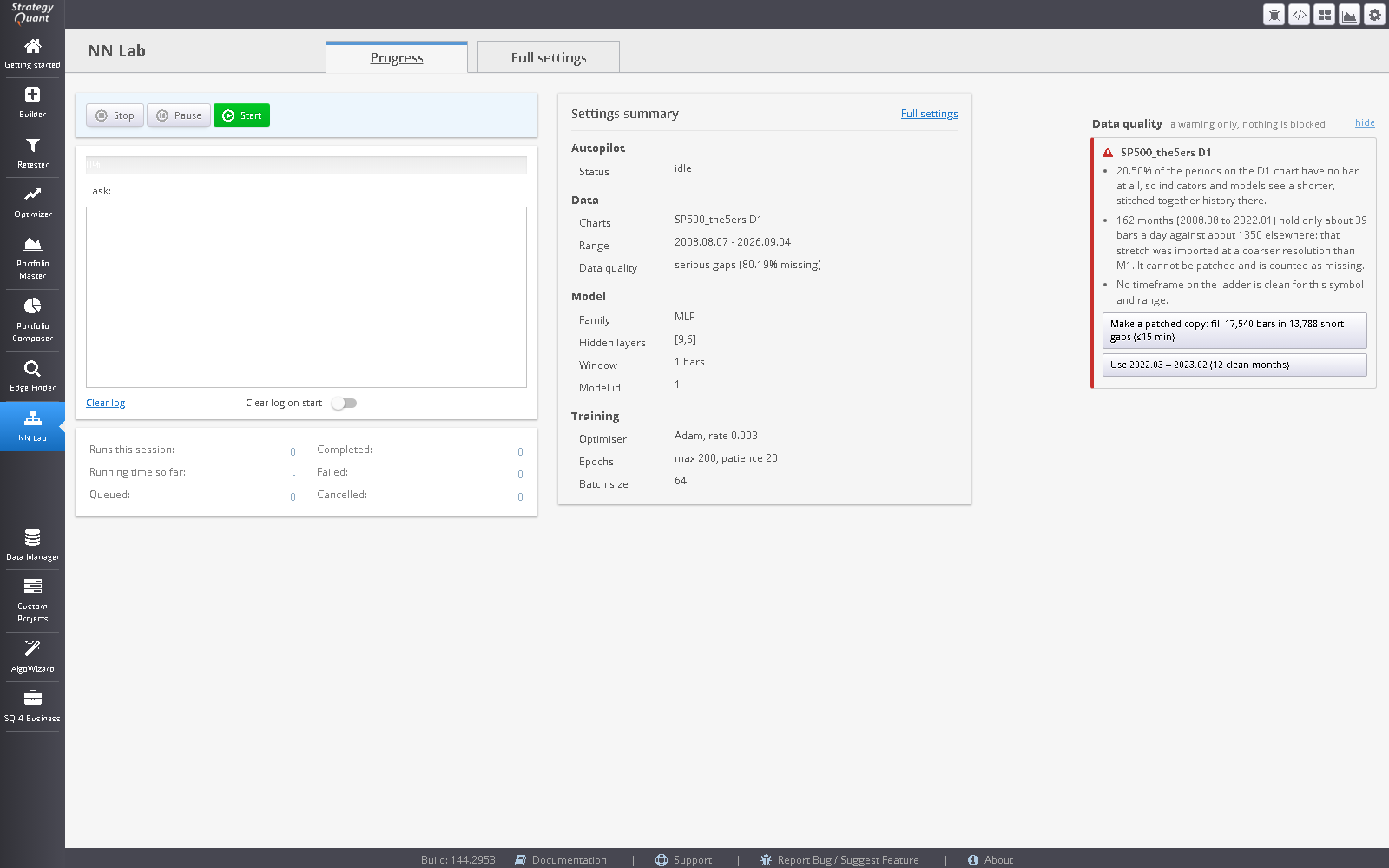
Training on history with holes teaches a network a price path that never existed, and a stitched-together series shortens every window the features read. NN Lab checks the charts you picked before each run.
It never blocks a run. If the history has gaps, a Data quality panel on the module’s Progress, Data and Autopilot views says how many minutes are missing and why it matters for the precision you chose, and offers one button, Make a patched copy. That fills short holes (up to 15 bars) with flat, zero-volume bars at the previous close, imports the result as <symbol>_patched and leaves the original untouched. Longer outages are reported and left alone. Every filled minute is written to an audit log. When part of the history was imported at a coarser resolution than M1, NN Lab also suggests the longest clean date range as a one-click setting. This is a light version of GapSmith: the same fill rules, built into this module for the symbol on its Data tab. GapSmith itself adds a Fix gaps button to the Data Manager’s Analyze data quality view, for any symbol, without needing this module.
NN Lab trains models and writes them. It knows nothing about trades, strategies or profit. Anything that can read its .awnn files can use the output; today that is the NN indicator blocks that ship with it.
If the network sees bars that later fall inside a StrategyQuant out-of-sample window, every strategy built there is validated on data the network memorised, and nothing in the report looks wrong.
Mean per-class recall against a 0.3333 baseline, with a caveat shown beside the number: adjacent bars share most of their label window, so the effective sample size is far below the nominal count.
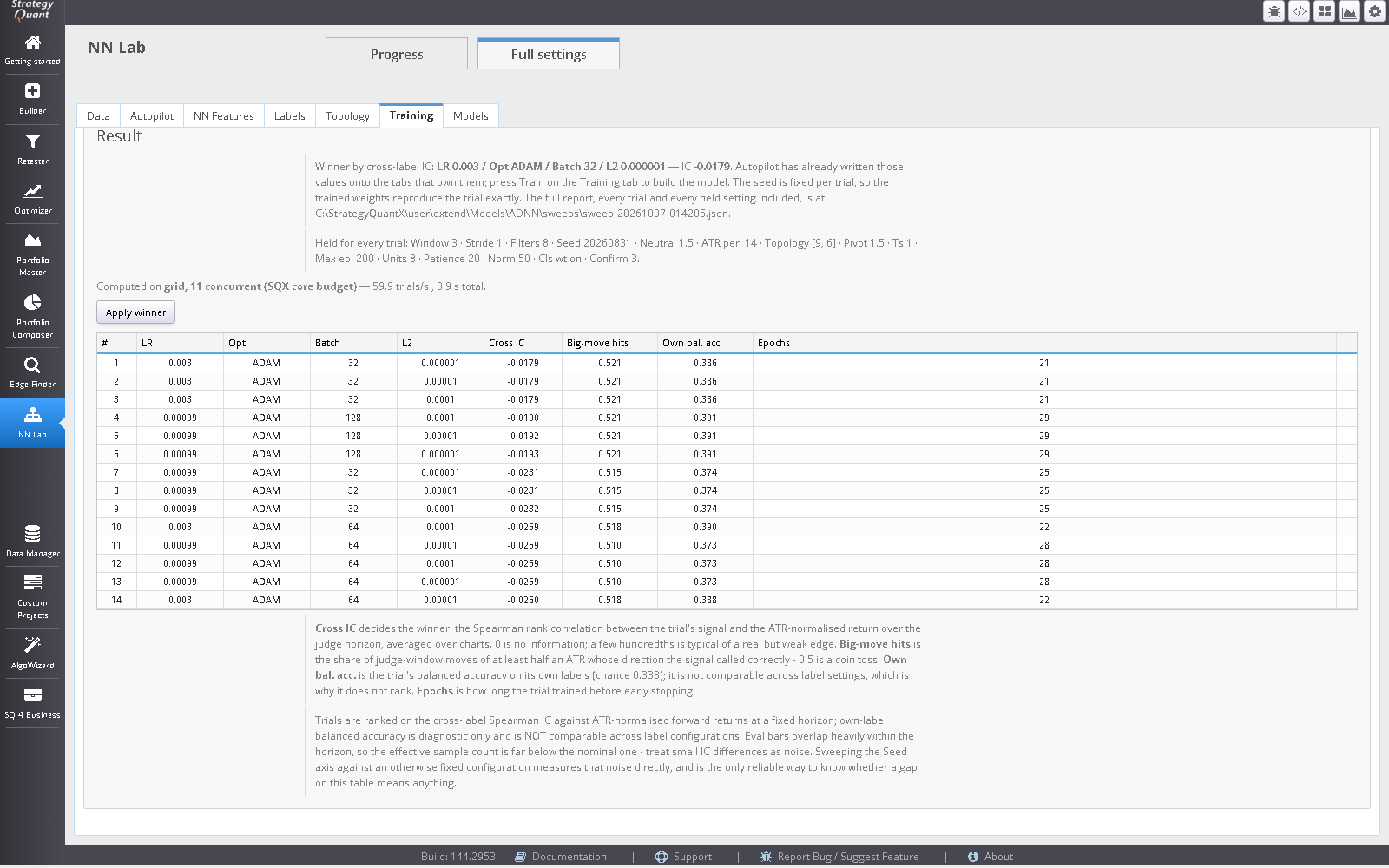
Autopilot’s topology and label searches are ranked by the Spearman rank correlation between signal and ATR-normalised forward return on the same bars for every trial. Ranking on a model’s own labels would be circular.
Configuration, losses, scores and wall time are written for each trial, so a sweep that reports only its winner cannot hide a lucky one.
NN Lab selects a model. It does not score a strategy, see a trade, or form an opinion about profit. StrategyQuant’s robustness checks are what judge the strategy built on top. There is no triple-barrier labelling or exotic machine learning here.
SQX: nothing to do. Models are picked up from the models folder; tick the AW NN-<Family> condition blocks in the Builder and set ModelId.
MetaTrader 5: the Models tab has a Deploy to MetaTrader 5 button. NN Lab writes a small model file (.awnnm, checksummed) beside each model and the button copies it to the MetaTrader Common folder, Common\Files\AWNN, which every terminal on the PC shares. The NN indicators ship compiled and read that file at run time, so the PC that trades needs no source, no MetaEditor and no compile step. A missing, damaged or newer-format file prints one clear message in the Experts log and the indicator stays neutral instead of trading on garbage; retraining over a live chart is picked up on the next bar.
What a model needs: its .awnnm file in Common\Files\AWNN (written by the Deploy to MetaTrader 5 button; copy it there by hand on a PC that has no NN Lab). Known limitation: a model whose inputs are sourced from other AW blocks reads those blocks’ indicators at run time, and in the MT5 Strategy Tester this may need extra setup (the feature indicators and data available to the tester agents). Run a short tester pass and check the Experts log for the model message before trusting a backtest.
MetaTrader 5 only. MetaTrader 4, JForex, EasyLanguage and PseudoCode templates are labelled stubs and are not supported.
Build on the charts the model was trained on, and keep the build’s out-of-sample range inside the window reserved on the Data tab.
Software output is not investment advice and says nothing about future results. Validate every strategy yourself before risking capital.