Name strategies as you find them.
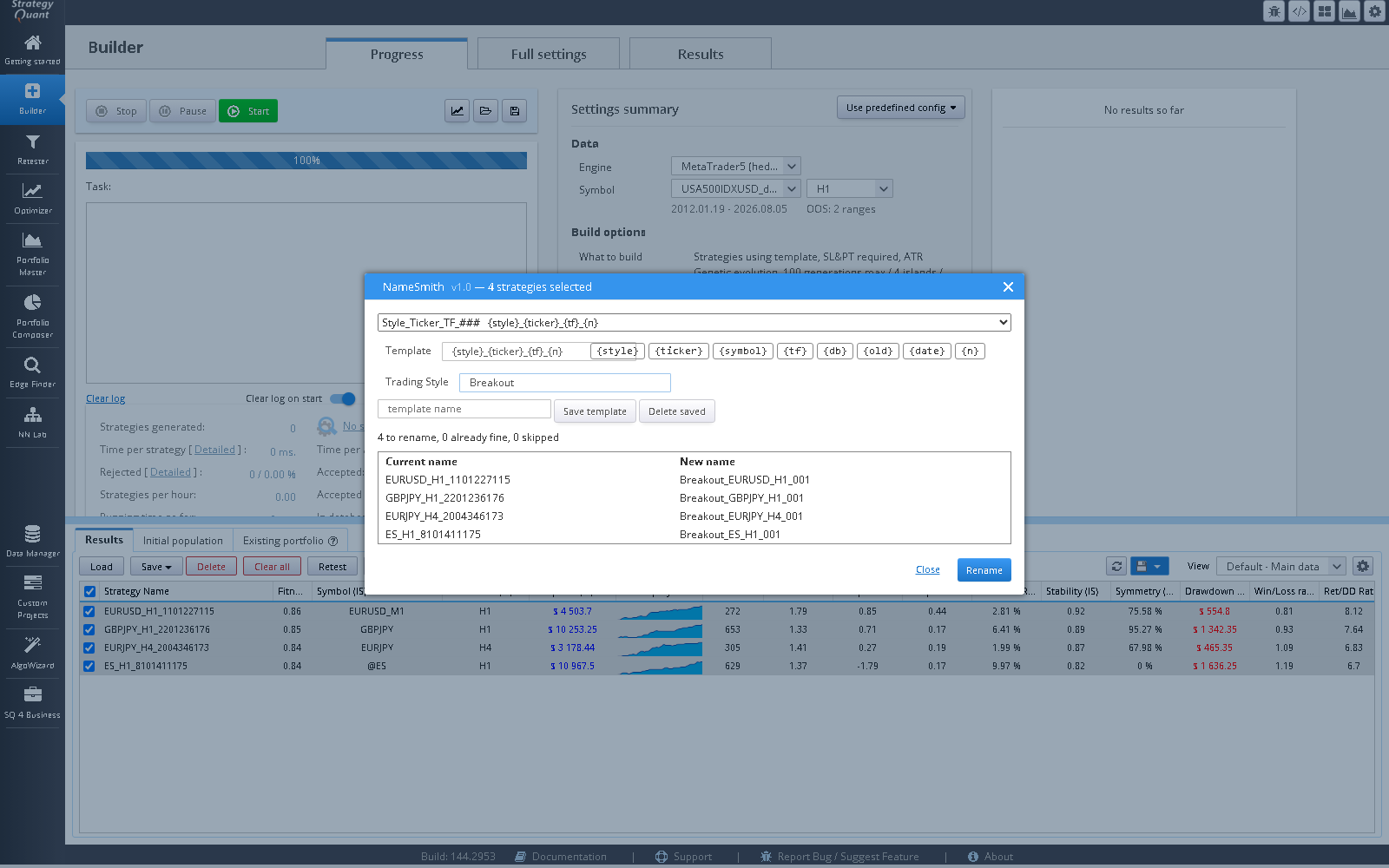
A StrategyQuant X databank action that renames the strategies you select from a template, by default {style}_{ticker}_{tf}_{n} (for example Breakout_SP500_H4_001), with a separate running number for each ticker and timeframe.
Predictable names, no spreadsheet
Select strategies in a databank
Any databank in any project.
Pick a template and type a style
Start from one of five presets or write your own from the tokens
{style},{ticker},{symbol},{tf},{db},{old},{date}and{n}. The style text (for example Breakout) is yours. You can save your own templates.Check the preview, then Rename
The dialog shows the current and new name of each strategy before anything changes, and an Undo button reverses the last rename. Ticker and timeframe are parsed from each strategy’s main result key, with the data-feed and broker suffix stripped; if that fails they are inferred from the old name.
Strategies on different tickers or timeframes each get their own counter, and strategies sharing a prefix get consecutive numbers.
Before and after
Strategy 1.2.45          Breakout_SP500_H4_001
Strategy 3.7.12   -->    Breakout_SP500_H4_002
Strategy 9.1.3           Breakout_EURUSD_H1_001
Illustrative names. The style is whatever you type; ticker and timeframe come from the strategy itself.
It renames. It does not rank, filter or judge anything. It is a small plugin and is priced as one.
Software output is not investment advice and says nothing about future results. Validate every strategy yourself before risking capital.